Zxt2007 image to pdf
Download URL | Author URL | Software URL | Buy Now ($0)
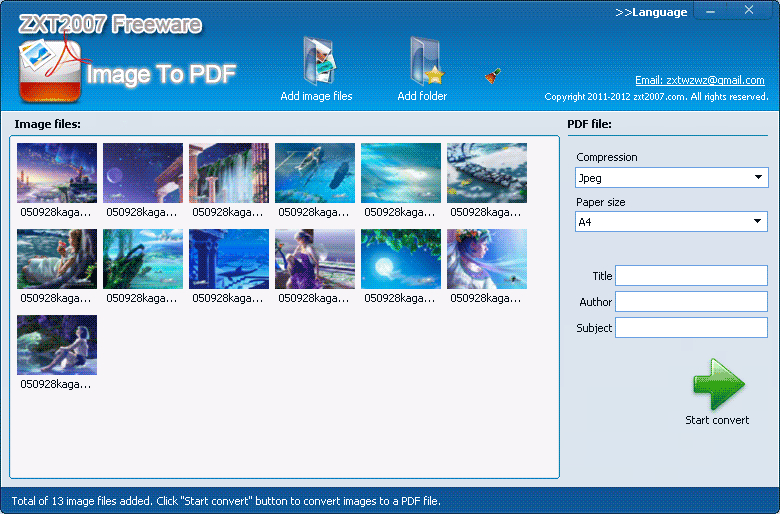
Image To PDF can convert any picture into a PDF file. Image To PDF supports most commonly used image formats, including: BMP, WBMP, JPEG, PNG, TIF, GIF, PSD, ICO, PCX, TGA, JP2, and more. The interface is simple and intuitive. Just 2 steps to create your own PDF file. Step 1: Click on the button "Add image files" choose image files, or click on the button "Add folder" to add pictures in this folder to the list. Step 2: Select compression mode, PDF document page size, then click the "Start convert" button.
Related software (5)
Image2PDF
convert image to pdf, preview images,- tif, jpg, bmp,gif,wmf,emf,png. Set page order, security, encyrption, permissions, document information and customize pdf pages. Scan images ...
ByteScout PDF Multitool
PDF Multitool (FREEWARE) includes set of functions to extract data and text from PDF files: PDF To XML, PDF To CSV, PDF To Text, reading text from scanned PDF using OCR, search tex ...
PhotoPDF Photo to PDF Convertor
PhotoPDF is a batch processing tool to convert photos into PDF. It has (1) "Batch Convert" convert photos into individual PDF files. (2) "Photos Merge" merge multiple photos into a ...
Lighten PDF Creator for Mac
Lighten PDF Creator for Mac is the easiest way to create PDF files from images, plain text and PDF, You can merge multiple files into one single PDF file, set page size or margins, ...
PhotoPDF Photo to PDF Convertor
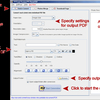
PhotoPDF is a batch processing tool to convert photos into PDF. It has (1) "Batch Convert" convert photos into individual PDF files. (2) "Photos Merge" merge multiple photos into a ...