Autocropscreen
Download URL | Author URL | Software URL | Buy Now ($1)
This tool allows to capture portion of screen to automatically create thumbnails.
This is a tool easy to use, very small and very powerful.
It is easily configurable :
Possibility to choose the size of the width : 8 to 256 pixels
Possibility to choose the size of the height: 8 to 256 pixels
Several possible output formats : BMP , JPG or PNG
Ability to add a frame around the captured image
The files are saved automatically.
To set the size of the thumbnail , simply drag the trackbars or click the + and - buttons.
To select the area to capture, simply move the mouse pointer on the screen and press the 'pause' button to make a capture.
In demo mode ( not yet registered) , you can create up to three screenshots.
Related software (5)
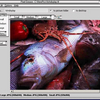
Pixel Grease - Easy Image Editor
Optimizes images and makes copies with different sizes, formats and compression with one click. Auto crop and rescale images to fit specific sizes. Sharpen, trim and colour balance ...
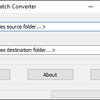
TEC to JPG Batch Converter
TEC to JPG Batch Converter converts Android image thumbnail files (*.tec) to jpg images that can be easily handled and displayed by any image viewer, editor, office application etc ...
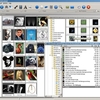
Graphic Workshop Professional
Image management and digital darkroom package with extensive interactive manual.
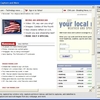
Easyscreen Screen Capture
Capture screenshots, capture regions, print screens, capture and download all images automatically from any website, add text to images, convert image types, and much more.
PixelSwapper
PixelSwapper is an easy to use image manipulation program that supports rotate, crop, mirror, resize, and rescale. It lets you convert images from one format to another, supportin ...